Elevate Release Notes
November 2025
This month's release includes product updates, enhancements, and essential bug fixes.
Included in this release:
- Updated a bug with template images showing as broken links
- Updated Page Settings for Access for Group Portals
- Added the ability to Preview a page for a Group Portal
- Updated the Menu Item Configuration Workflow
- Implemented Error Handling throughout the Quiz
- Implemented Lazy Loading on Images in Quizzes
- New Total Credits Earned Report
- Improved Instant Registration for Group-Level Products
- New Waitlist Users Report for Products
- New Right-Side Sidebar Layouts Added to Themes Workflow
- Group Admins will now be given access to the Group
Updates
Updated a bug with template images showing as broken links
When you create a cloned or newly added certificate template, the template image will now display correctly instead of appearing as a broken image link.
Updated Page Settings for Access to Group Portals
Pages can be configured to specific Groups by using the Page Access for Group Portals field. This field is now available when configuring a Page (Fig 1). This setting limits page access to selected Group Portals. Learners will only see this page if they are a member of the group and visit through their portal URL. To also allow access to the main site, include the Default Site in your selection.
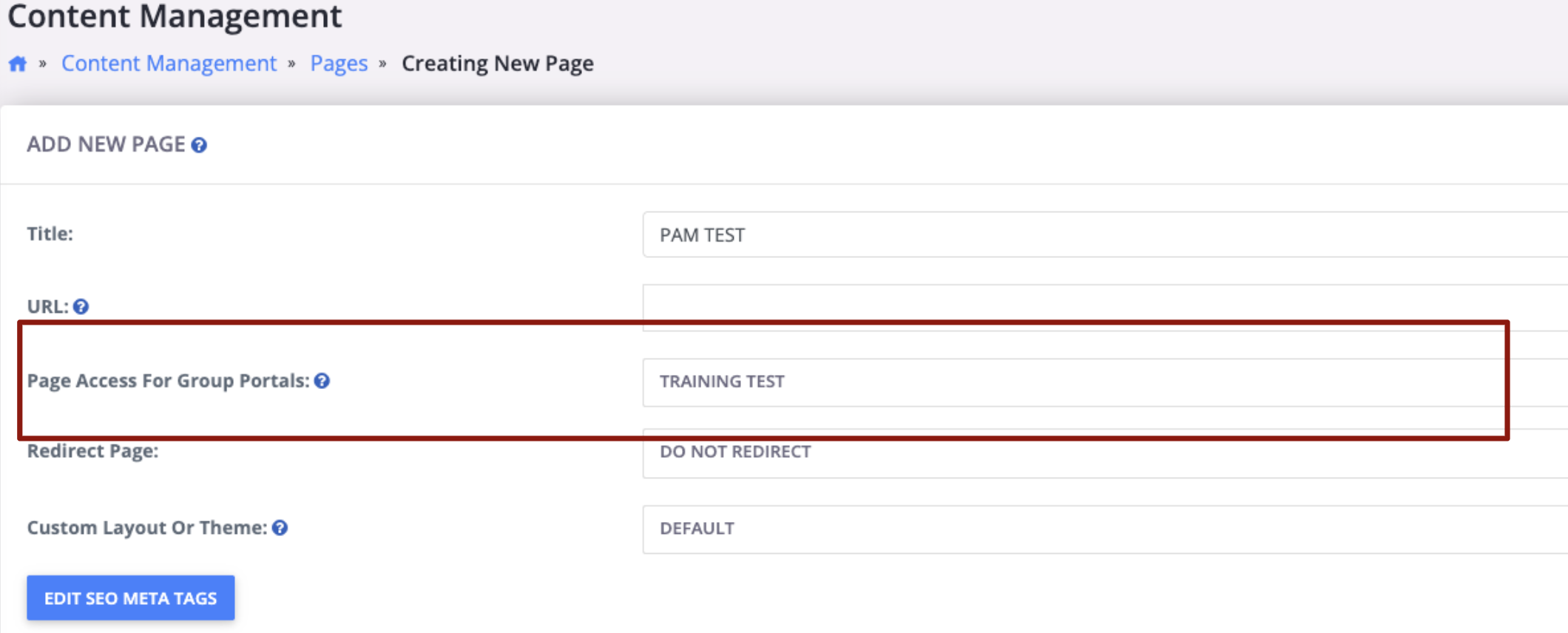
Fig. 1 - Updated page settings for access for group portals
Added the ability to Preview a page for a Group Portal
Pages can be configured for specific Groups, and users can now preview how a page will appear for a selected Group Portal directly from the Pages listing screen or the Edit Page screen (Fig 2). This allows for quicker validation of group-specific content without needing to navigate into each portal.
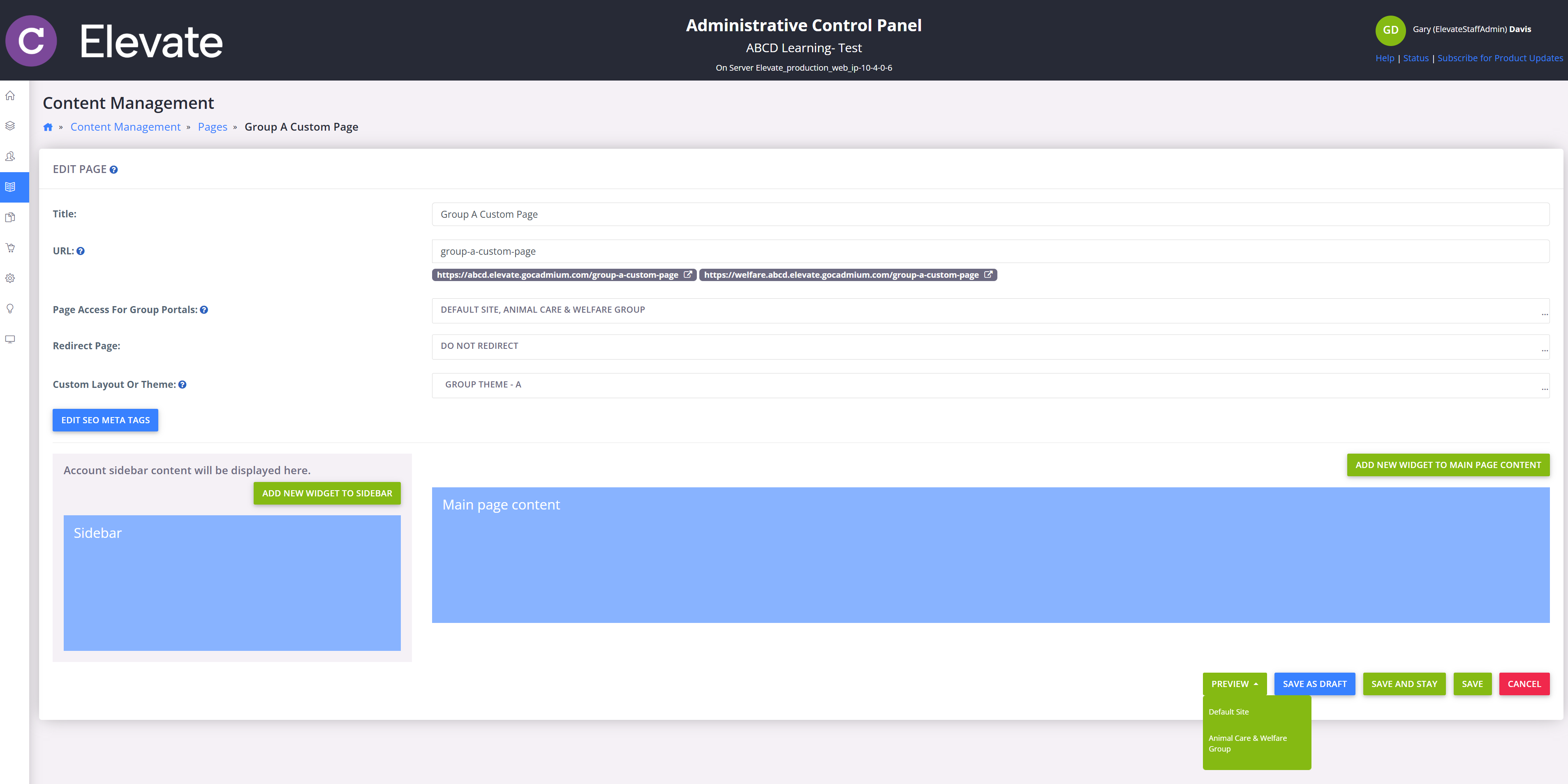
Fig. 2 - Ability to Preview a Page for a Group Portal
Updated the Menu Item Configuration Workflow
We’ve updated the Add Menu Item workflow to give admins greater control over where a menu item directs learners. When creating a menu item, users can now choose a Link Type of either Custom URL or Linked Page (Fig 3). Selecting Custom URL displays a text field where users can enter any URL, and learners will be redirected to that URL when they click the menu item. Selecting Linked Page displays a dropdown of the account’s custom pages, and learners will be taken to the selected page.
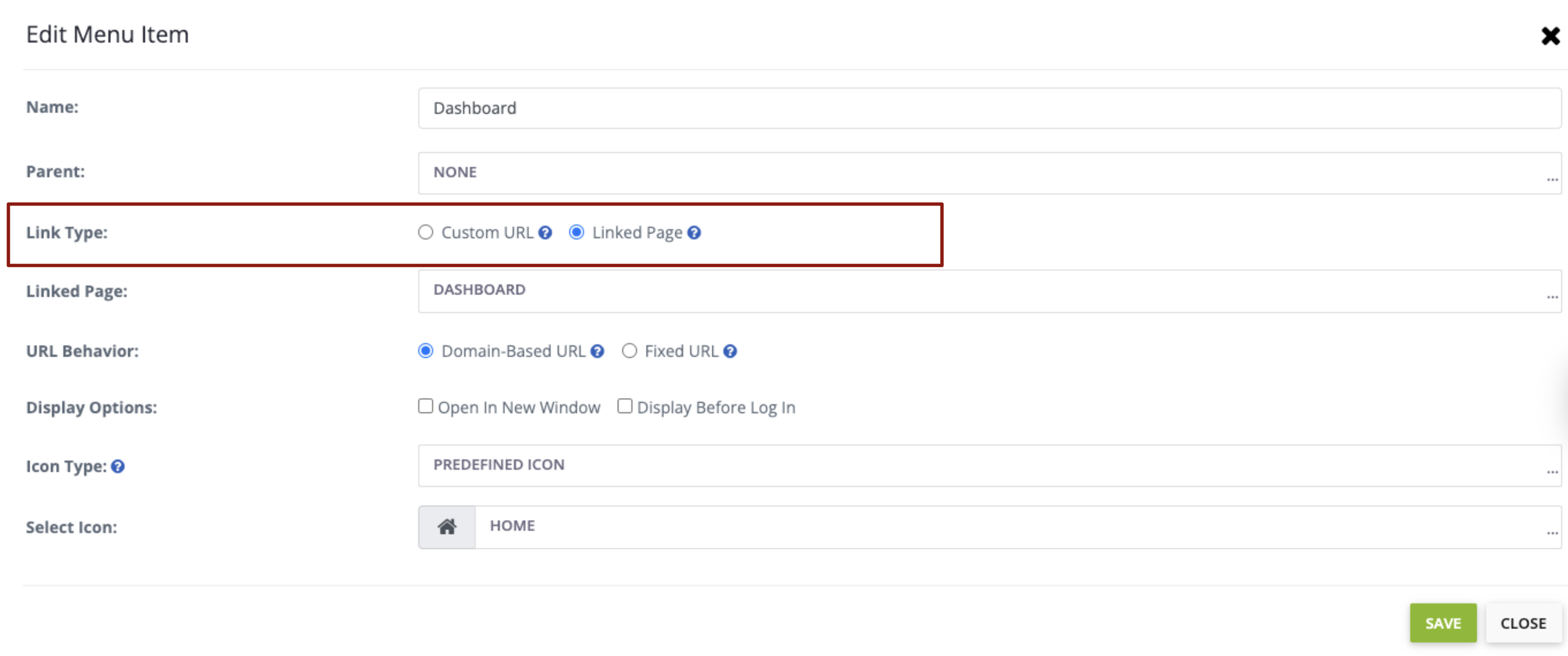
Fig. 3 - Updated menu item configuration workflow
For accounts using Group Portals, users can also define URL Behavior. Domain-Based URL redirects learners to the selected page within the group domain they are currently viewing (e.g., if they are on Group 2, the link opens in Group 2). Fixed URL redirects learners to a specific group domain regardless of where they started (e.g., a learner on Group 2 can be redirected to Group 3 if the menu item is set to Group 3).
Enhancements
Implemented Error Handling throughout the Quiz
When a quiz is submitted, automatic retries will now attempt to save the submission again if an error occurs. This is expected to improve the learners' experience with submitted quizzes without losing data.
Implemented Lazy Loading on Images in Quizzes
We implemented lazy loading for quiz images, so they only load when they’re about to appear on screen. This reduces initial page load time and improves scrolling performance across quizzes. Images still display normally once needed, with no changes required to existing quiz content.
New Total Credits Earned Report
We’ve introduced a new Total Credits Earned report that provides a consolidated view of each learner’s credits across all products. The report supports filtering and sorting by learner’s name, date range, and credits-earned range, making it easy to review an individual learner’s total credits or identify learners who fall below a minimum threshold. Results can also be exported to CSV for sharing, auditing, and further analysis.
Improved Instant Registration for Group-Level Products
We’ve improved how instant registration behaves for products configured at the group level. If a product is set to instant registration for a specific group, members of that group will now be registered instantly as expected. If a user is not a member of that group, they will follow the default site pricing and registration settings (including instant registration rules). Registration continues to work as intended for both paid and instant registrations, including sites without Groups enabled.
New Features
New Waitlist Users Report for Products
Admins can now access a Waitlisted Users report for a product, making it easier to identify and engage learners who are on the waitlist. This report is available from the Product Registrants modal and is modeled after the existing Regular Registrants report - accessible via the registrants count hyperlink (Fig 4). Use this report to view all waitlisted users for a specific product and support targeted outreach and campaigns.
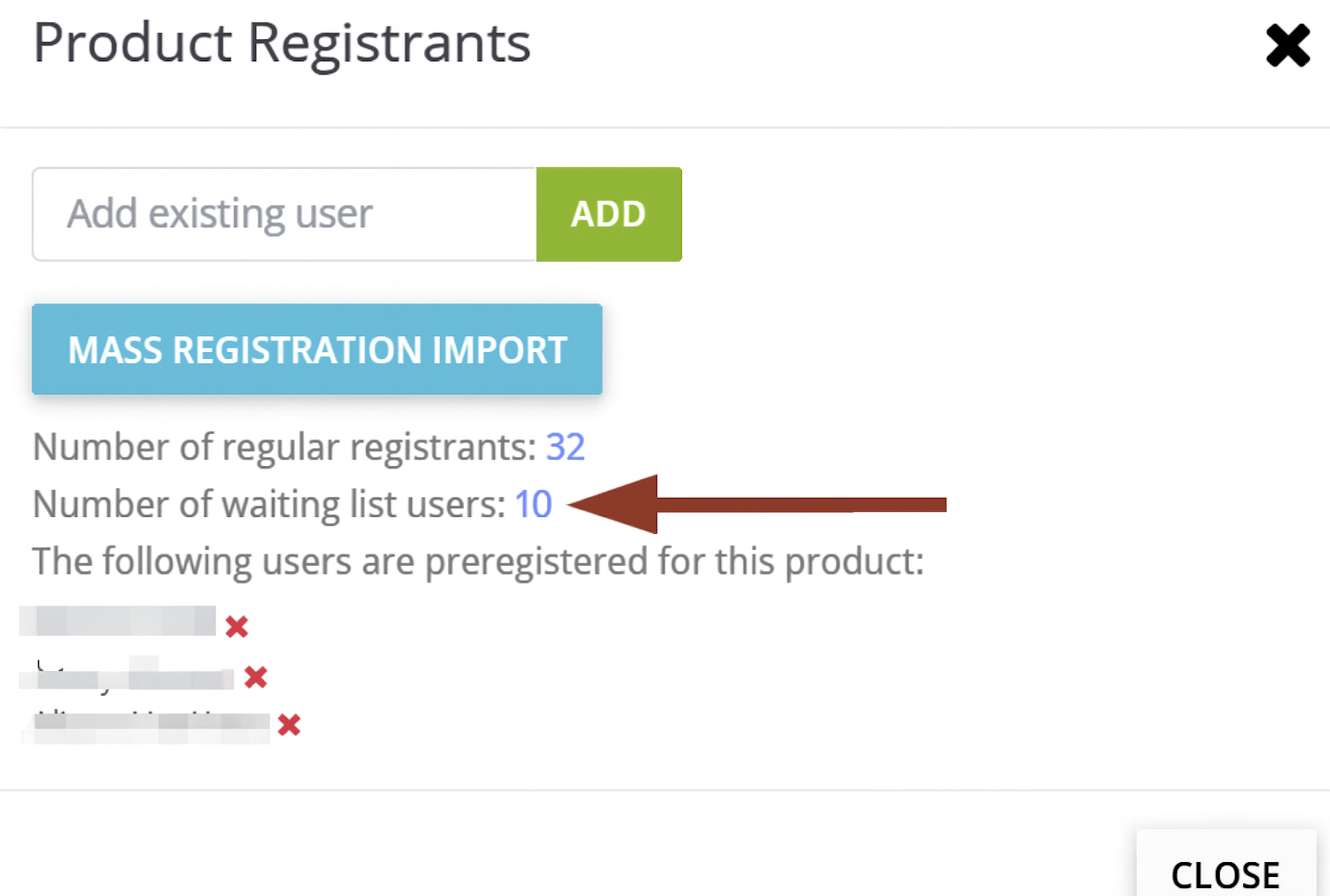
Fig. 4 - New Waitlist Users Report for Products
New Right-Side Sidebar Layouts Added to Themes Workflow
We’ve expanded the Themes workflow with two new layout options that place the sidebar on the right, giving admins more flexibility when designing the theme of their sites (Fig 5).
The Layouts options for the now include:
- Layout 1 (Top Bar + Left Sidebar + Content) - Updated Label, functionality remains the same
- Layout 2 (No Sidebar, Full Width) - No changes
- Layout 3 (Left Sidebar Navigation + Content - Updated Label, functionality remains the same
- Layout 4 (Top Bar + Right Sidebar + Content) - NEW Layout Option
- Layout 5 (Right Sidebar Navigation + Content) - NEW Layout Option
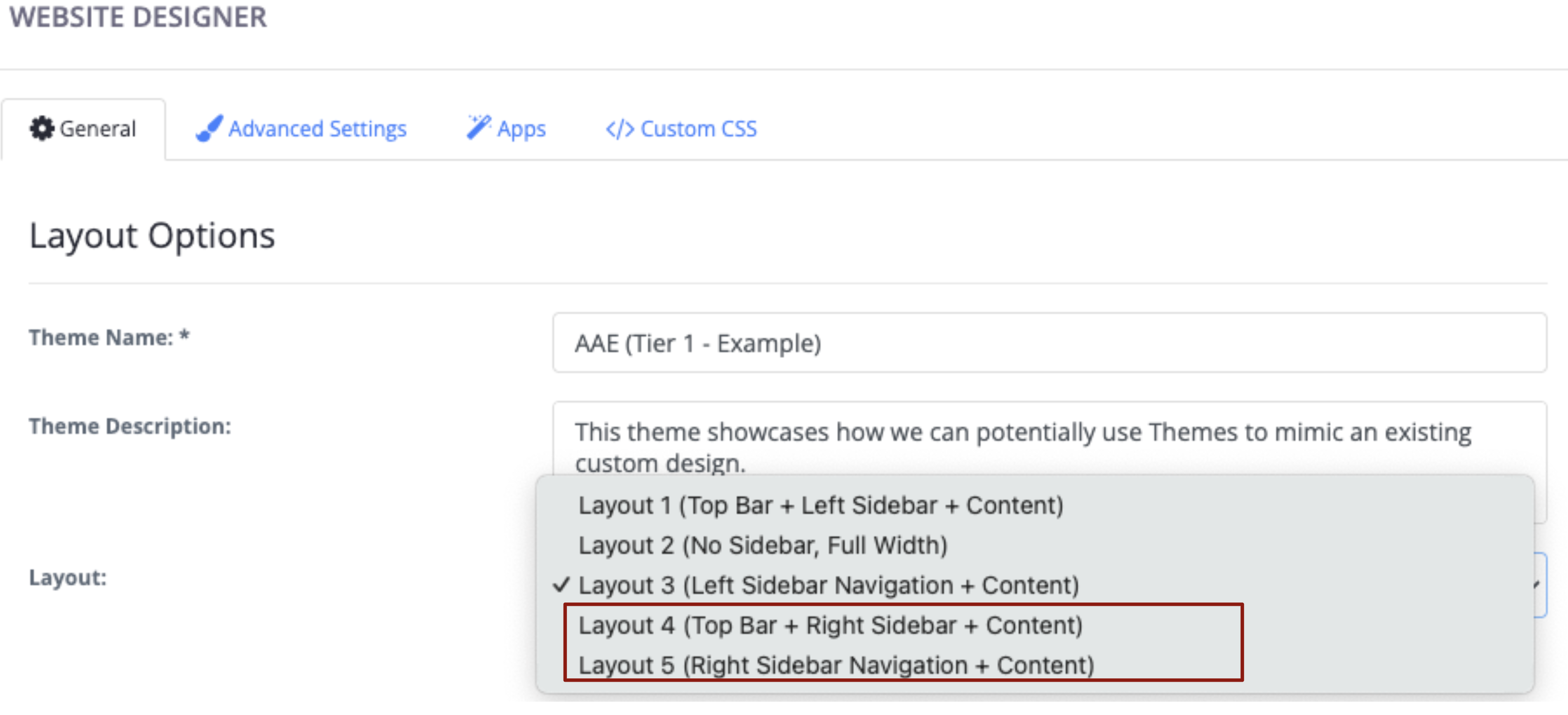
Fig. 5 - New right-side sidebar layouts added to themes workflow
Fixes
Group Admins will now be given access to the Group
Fixed a bug so when an admin is added to a group, they will be given access to the group without needing to be listed as a member.
Was this article helpful?
That’s Great!
Thank you for your feedback
Sorry! We couldn't be helpful
Thank you for your feedback
Feedback sent
We appreciate your effort and will try to fix the article