Eventscribe Release Notes
February 2026
PLEASE NOTE
This page will be updated throughout the month as new releases are deployed, so check back regularly for the latest updates and improvements.
This month's release may include product updates, new features, enhancements, essential bug fixes, and more.
Improvement
Updated Branding in Eventscribe
Eventscribe now features refreshed Cadmium branding, including updated colors and icons for a more modern, cohesive look (Fig 1). This update aligns Eventscribe more closely with the broader Cadmium platform and improves visual consistency across products. There are no changes to functionality or workflows; everything works exactly as it did before. (February 10, 2026)
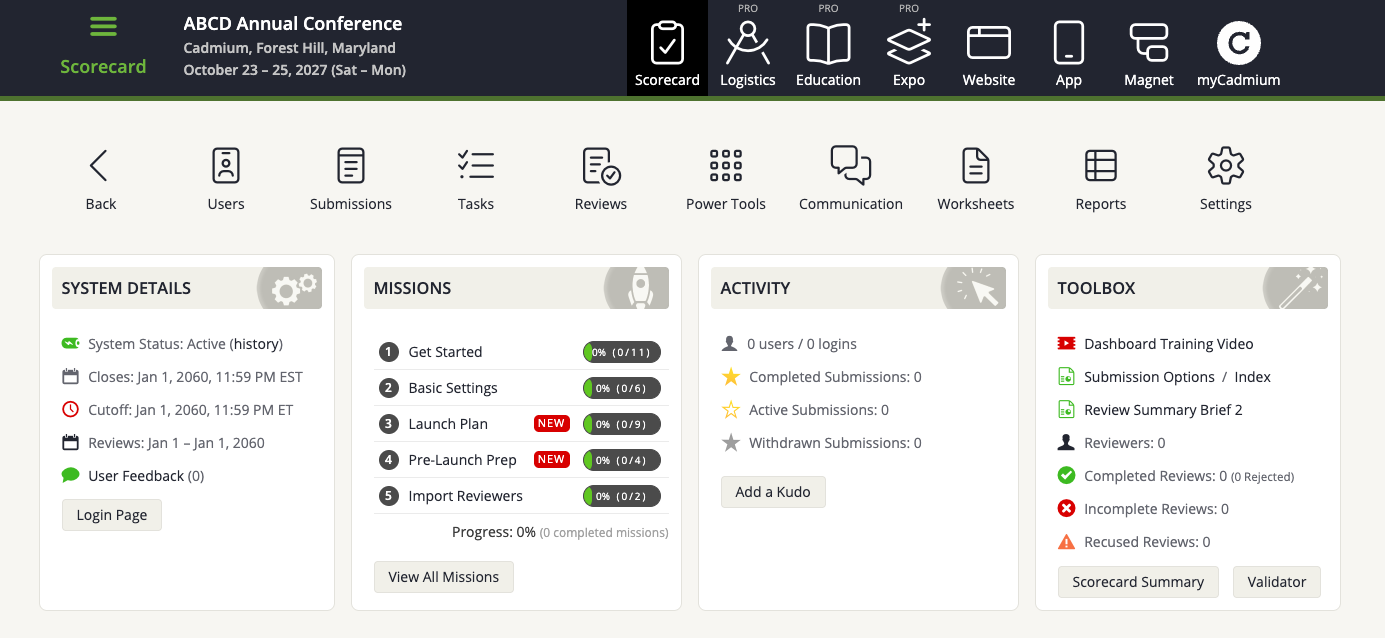
Fig. 1 - Updated branding in Eventscribe.
Enhancement
Survey Magnet – User Credits Report Date Filtering
A new date range filter has been added to the User Credits Report, allowing administrators to quickly view credits earned within a specific timeframe. Users can now select a date range to better track activity and generate more targeted reports without manual review (Fig. 2). (February 11, 2026)
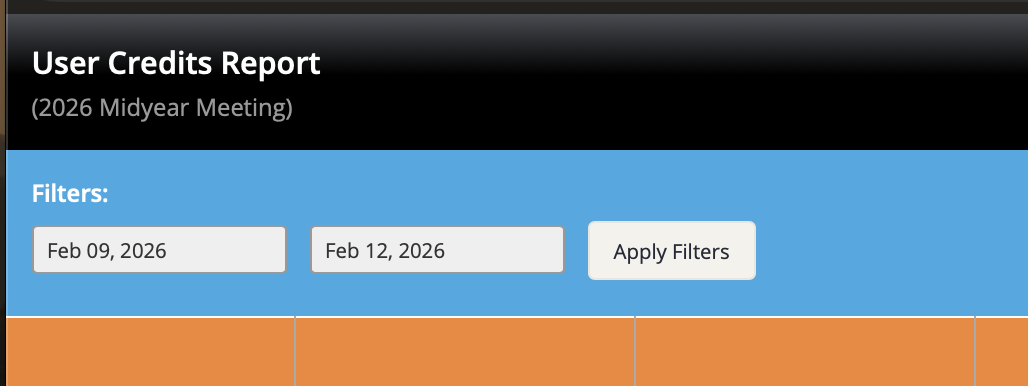
Fig. 2 - Date Range Filter.
Education Harvester – Disclosure Form Signature Added to Disclosure Word Reports
The newly designed Disclosure Word reports did not originally include the user's signature. The signature field, along with the date and time, has now been added to the report (Fig. 3). (February 13, 2026)
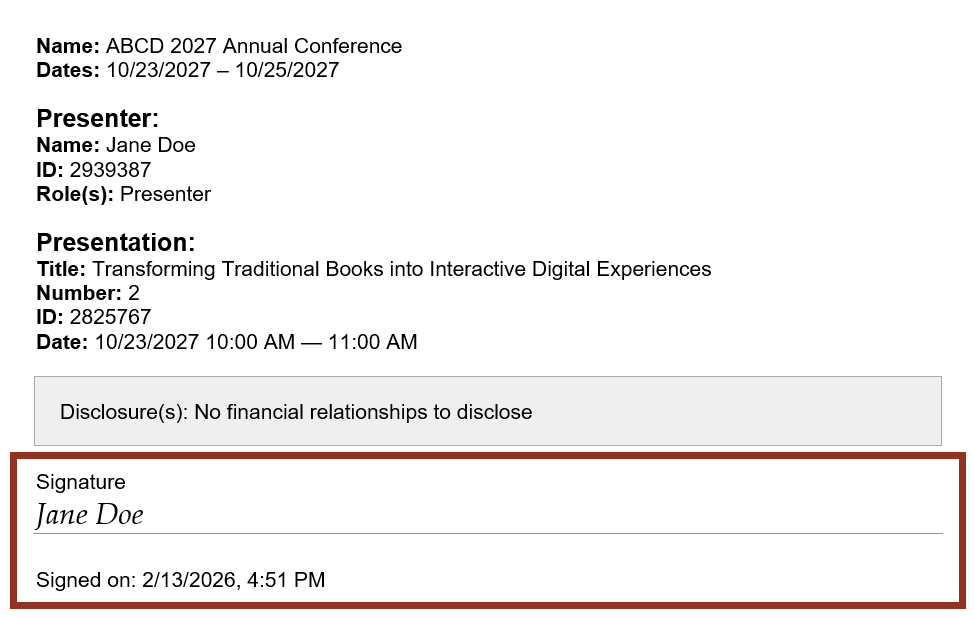
Fig. 3 - Disclosure Word Report Signature Line.
Scorecard – Major Improvements to Worksheet Load Time
We've updated the underlying structure of worksheets to significantly improve performance and usability. Worksheets that previously took up to 60+ seconds to load now typically load in 2–3 seconds, with noticeable improvements even for very large worksheets (1M+ rows). Worksheets now load in the background, allowing you to continue using other areas of the application while the request is processing. You can also cancel the request by closing the browser if needed. In the past, users had to wait for the request to fully complete before they could use the application again.
Please Note: No changes were made to how data is saved. Be sure to save all updates before closing the browser, and avoid opening a new event while a worksheet is loading. You will now also see how many rows are showing in the Footer Bar. (Fig. 4). (February 19, 2026)

Fig. 4 - Worksheets Footer Bar.
Scorecard – Financial Relationship Status Now Included in Disclosure Task Reports
We've enhanced Disclosure Task reports to provide greater clarity around financial relationship statuses.
When the "Ask for Status of Financial Relationship?" setting is enabled in a disclosure task, the relationship status will now be included in the generated reports.
What's New
- If a financial relationship is marked as Ongoing, the report will display: (Ongoing)
- If a financial relationship is marked as Terminated, the report will display: (Terminated, February 17, 2026)
(February 23, 2026)
Education Harvester – More Accurate Due Dates for Some Tasks
We've improved how overall due dates are displayed for certain Education Harvester tasks that use course-specific deadlines. In some cases, a speaker may be assigned to multiple presentations tied to different courses, and each course can have its own due date for the same task. Previously, the Task List overview displayed the latest applicable due date. This could unintentionally suggest that a task could be completed later, even if one of the associated courses required it sooner.
What's Changed: The Task List will now display the earliest applicable due date when multiple course-specific deadlines exist. This update only affects how the overall due date is displayed in the Task List and does not change how course-specific due dates function within the task itself. (February 25, 2026)
Fix
Eventscribe Mobile App (iOS) — Push Notification Delivery Restored for Eventscribe
An issue was resolved that prevented some device-level push notifications from being delivered on iOS. Push notifications are now functioning reliably, ensuring users receive timely updates and important event communications as expected. Please Note: Client White Label Containers and the Eventscribe Android App were not impacted by this bug. (Build: 26.02.20) (February 21, 2026)
Scorecard, Education Harvester, Expo Harvester, Website, Logistics, App, and Magnet - Improved Worksheet Interface Visibility
As part of our recent rebranding, updated default text and background colors were applied across admin pages. However, we found that these muted colors made the worksheet interface more difficult to use.
What's Changed: We have updated the worksheet interface to restore a white background with black text, improving readability and overall usability (Fig. 5). (February 25, 2026)
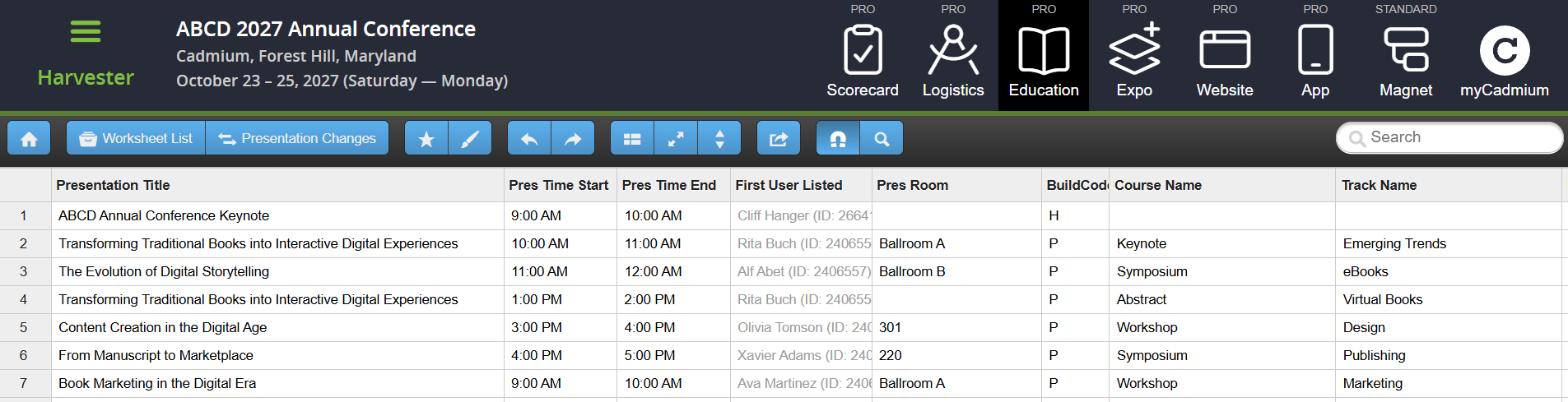
Fig. 5 - Worksheets
Was this article helpful?
That’s Great!
Thank you for your feedback
Sorry! We couldn't be helpful
Thank you for your feedback
Feedback sent
We appreciate your effort and will try to fix the article