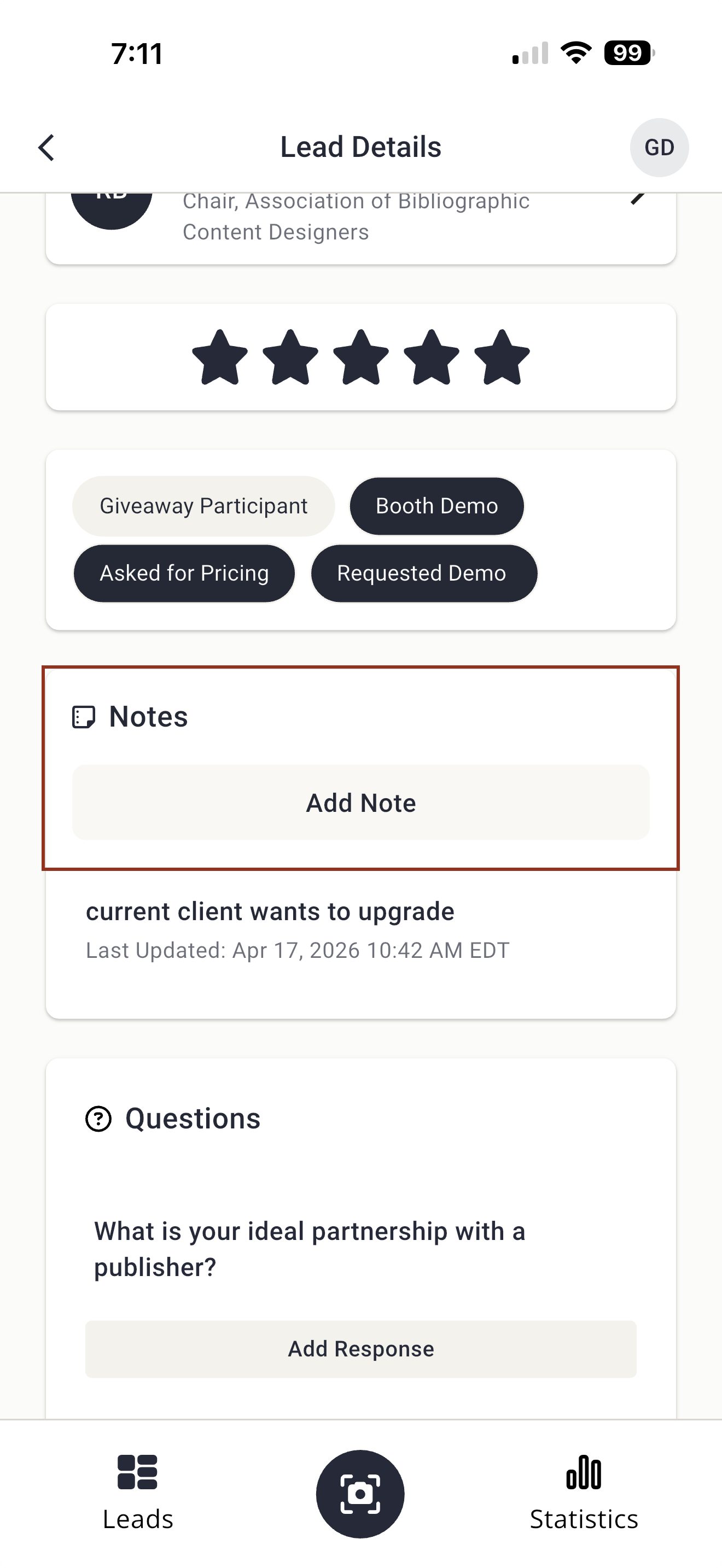
The Notes interface in the Lead Capture Mobile App has been updated to align with the new design used for open-ended questions, providing a more consistent and streamlined experience when capturing lead information. (May 13, 2026)
Eventscribe Release Notes
May 2026
PLEASE NOTE
This page will be updated throughout the month as new releases are deployed, so check back regularly for the latest updates and improvements.
This month's release may include product updates, new features, enhancements, essential bug fixes, and more.
Improvement
Lead Capture – Open-Ended Questions Now Available
Exhibitors can now collect richer lead information using open-ended questions. Booth Admins can add open-ended questions in the Lead Capture Exhibitor Portal, and booth staff can type in open-ended responses directly in the Lead Capture Mobile App when capturing leads (Fig. 1). This provides more flexibility for gathering qualitative feedback and details that don't fit into predefined answer choices. (May 13, 2026)
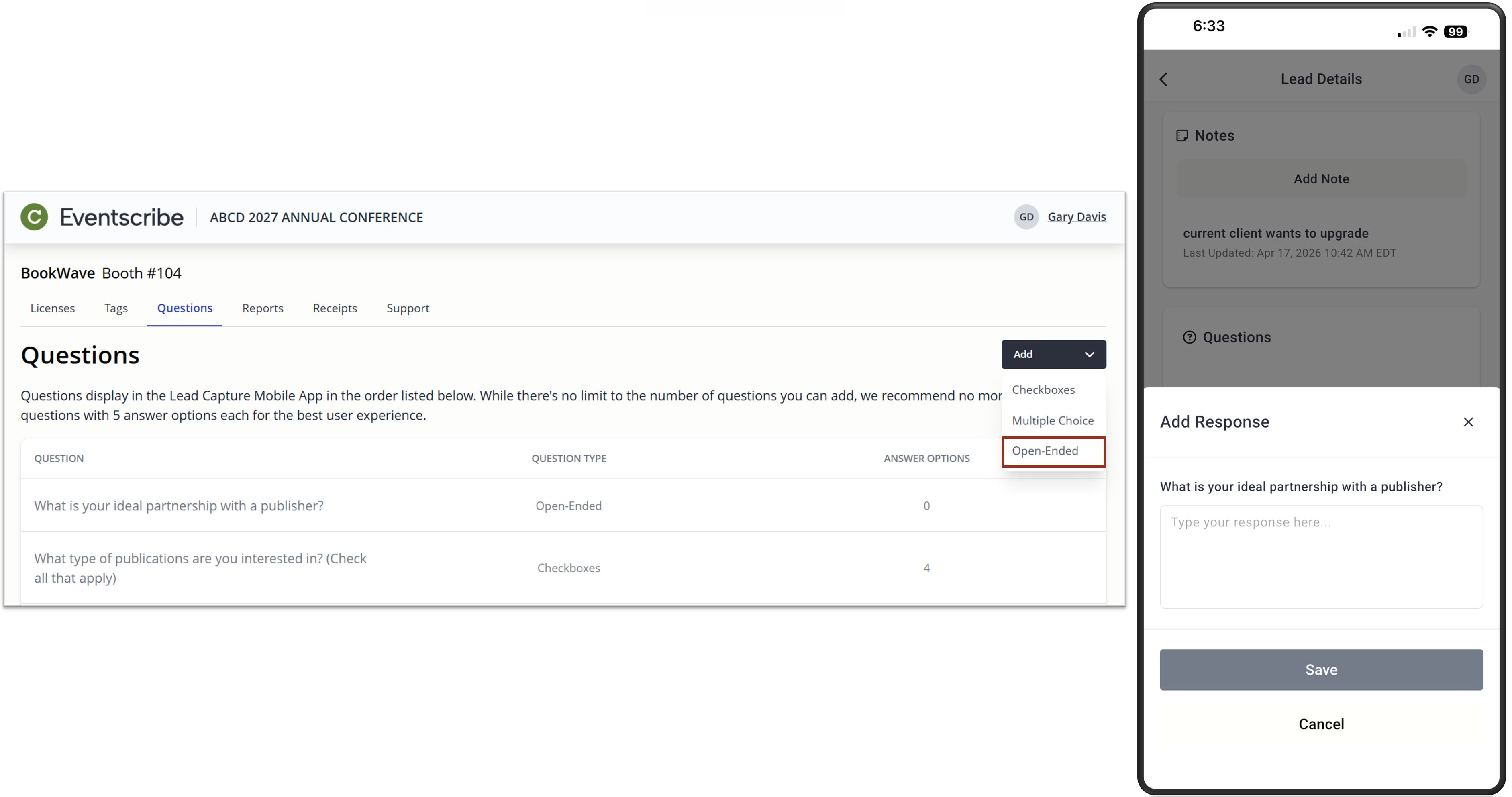
Fig. 1 - Exhibitor Admin Portal Add Questions Dropdown and App Open-Ended Question.
Lead Capture Mobile App – Refreshed Notes UI
Eventscribe Registration – "Unified Login Home" updated to "Customer List"
Customers with access to multiple customer accounts within Registration will now see their list of Customer accounts with the header of "Customer List" (Fig. 3). Formerly, this was called "Unified Login Home". This change is intended to create more clarity as Cadmium continues to implement Cadmium Identity, our unified login solution, within our products. (May 15, 2026)
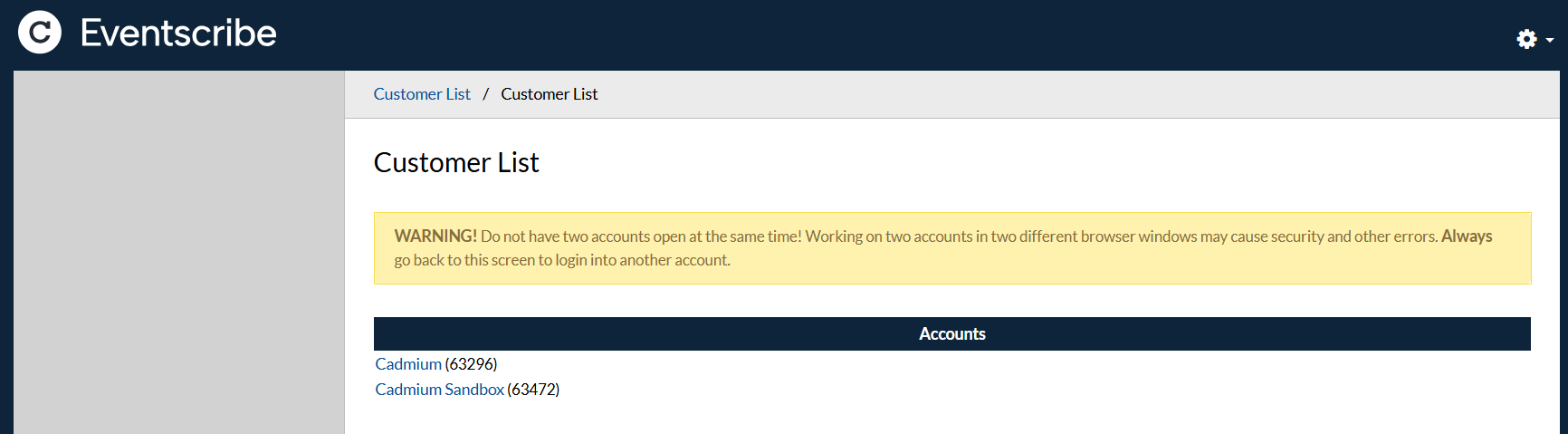
Fig. 3 - Registration Customer List.
Survey Magnet – Lock Individual Tasks Directly From The Tasks Page
Admins can now lock and unlock individual tasks straight from the Survey Magnet Tasks page by clicking the lock icon on any task row (Fig. 4). This action wasn't previously available to admins, and gives you finer control over which tasks remain editable. (May 19, 2026)
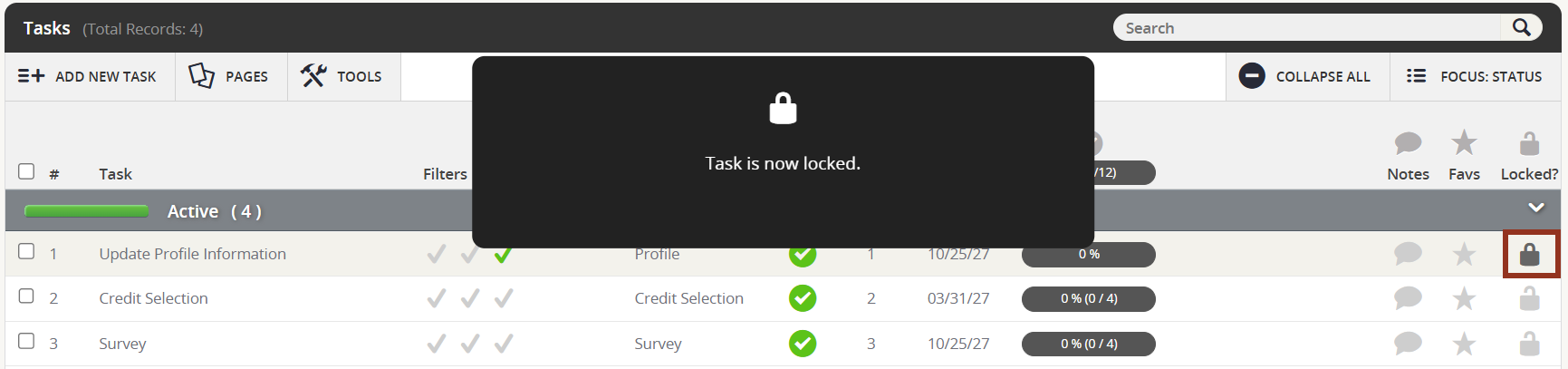
Fig. 4 - Survey Magnet Task Lock Icon.
Fix
Scorecard – Validation on Max Number of Submissions
Validation has been added to both the add and duplicate submission pages. Requests will now be blocked if the submitter has already reached the maximum number of allowed submissions. Users who attempt to exceed the limit will be redirected to the home page and shown an error message indicating that the maximum number of submissions has been reached. (May 12, 2026)
Lead Capture Mobile App – Resolved Scanning Issues for Early License Activation
Fixed an issue where users who activated their licenses more than 30 days before the event start date experienced scanning issues caused by expired access tokens. The app now automatically refreshes access tokens behind the scenes when they expire mid-session, so badge scanning, lead syncing, and other actions continue working without interruption, regardless of how far in advance a license is activated. (May 13, 2026)
Expo Harvester – Booth Corner Status Changes When Repositioning Booths In Corner Mode
Previously, dragging a booth on the admin floor plan while corner booth mode was enabled could unintentionally toggle the booth's corner status. When this happened, corner fees were recalculated for any exhibitors assigned to that booth.
This has been resolved. Moving a booth in corner mode now only repositions it, the corner designation and associated fees remain unchanged. Corner mode itself works exactly as before; you can still click a booth to toggle its corner status when that's what you intend. (May 18, 2026)
Education Harvester Certificate Task – Save as PDF Now Respects Orientation Setting
The Save as PDF button on Certificate tasks now correctly honors the orientation setting configured in the task editor. If your certificate is set to landscape, the downloaded PDF will be landscape. Portrait certificates download as portrait.
Previously, Save as PDF always produced a portrait PDF regardless of the configured orientation. The browser's built-in Save As option worked correctly, but the dedicated button did not. (May 15, 2026)
Last modified May 19, 2026
Was this article helpful?
That’s Great!
Thank you for your feedback
Sorry! We couldn't be helpful
Thank you for your feedback
Feedback sent
We appreciate your effort and will try to fix the article