Eventscribe Release Notes
November 2025
This month we are excited to announce the release of Lead Capture. This release also includes several product enhancements and essential bug fixes. Included in this release:
New
Enhancements
Mobile App
- Poster Custom Fields Display Improvements
- iOS: Social Media Links Now Open Externally
- Android: Faster Loading for Handouts and Presentation Materials
- Somalia Added to Country Dropdown
Fixes
Education Harvester
Mobile App
- Users Can Now View Their Own Profile in the Attendee List
- iOS: Profile Sharing Not Enabling Chat Access
- Android: Scavenger Hunt Achievements Display Correctly After Refresh
- Android: Presentation Search by Session Number
- Android: Tech Support Bottom Menu Action
Website
New
Lead Capture is Now Available
Eventscribe Lead Capture is a powerful, mobile-first lead retrieval solution designed to help exhibitors quickly scan attendee badges, qualify leads with custom tags and notes, and export data instantly for timely follow-up. Rebuilt as a standalone solution, Lead Capture delivers greater flexibility, accuracy, and ease of use online or offline (Fig. 1).
With Lead Capture, you can:
- Capture accurate attendee data by scanning QR badges tied directly to registration profiles for increased data integrity.
- Qualify and prioritize leads in real time with customizable tags, questions, notes, and ratings.
- Empower exhibitors and organizers with self-service admin and exhibitor portals to manage licenses, configure qualifiers, and access real-time reports.
- View in-app statistics to track booth staff performance and adjust strategies mid-event.
- Operate anywhere—even without Wi-Fi using secure offline storage and automatic syncing once connectivity is restored.
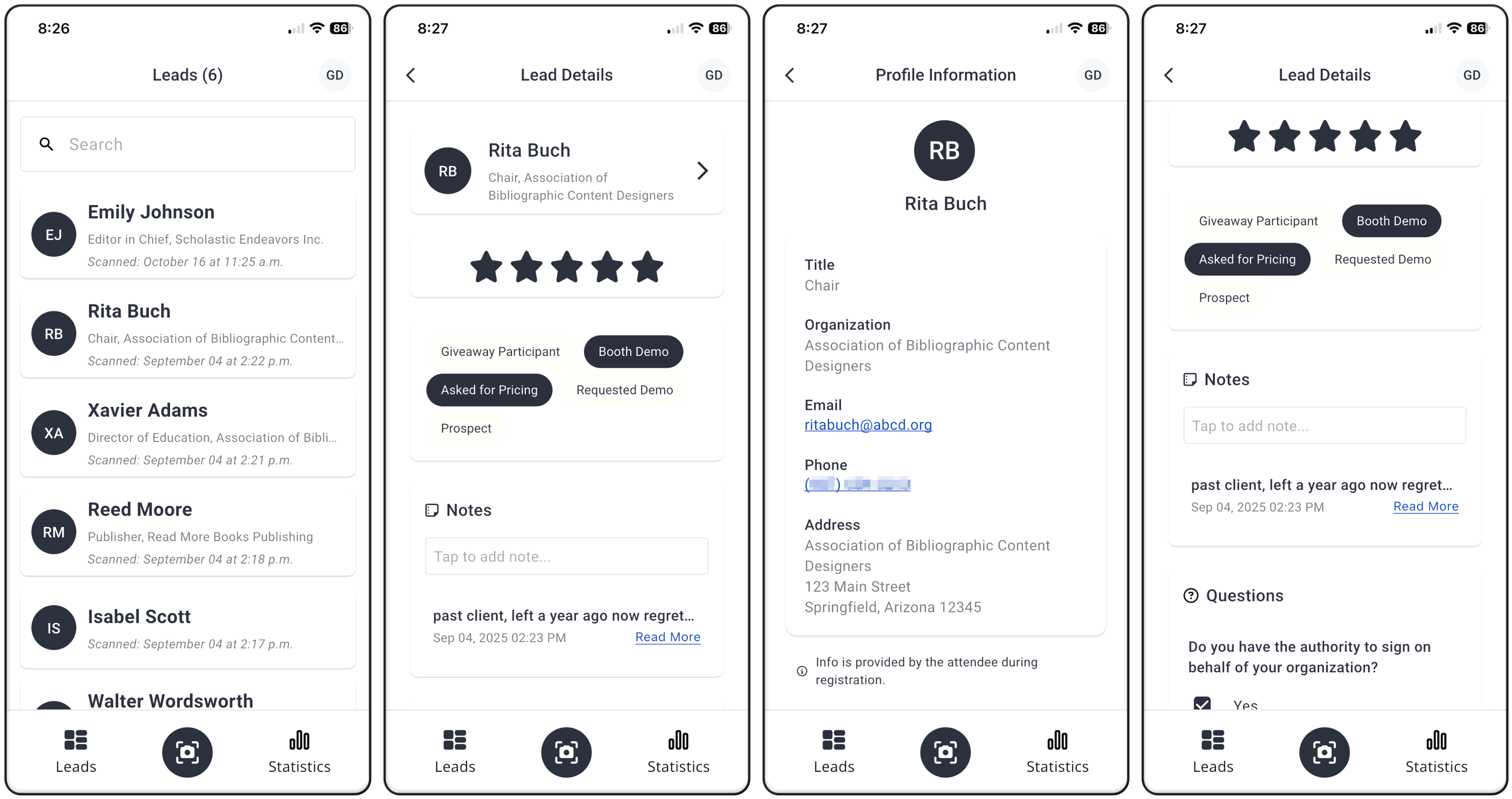
Fig. 1 - Lead Capture App.
Eventscribe Lead Capture gives exhibitors a streamlined, purpose-built experience and provides organizers with cleaner data, improved reporting, and a flexible, modern approach to lead retrieval at scale. To learn more, please visit the Lead Capture folder in our Support Site.
Enhancements
Mobile App – Poster Custom Fields Display Improvements
We’ve improved how custom poster fields display within poster profiles for better accuracy and consistency. All custom fields can now be shown, and the display order now correctly follows the admin settings instead of a fixed sequence.
Mobile App – iOS: Social Media Links Now Open Externally
Social media icons on User and Speaker Profiles will now open externally instead of trying to load inside the app. This prevents the previous blank screen behavior and improves the user experience by opening the native social app when installed or the device's browser when not.
Mobile App – Android: Faster Loading for Handouts and Presentation Materials
Handouts and presentation materials now load significantly faster in the mobile app. We improved how these items and their related presentation records are retrieved and displayed, resulting in better responsiveness and more reliable access to content for users.
Mobile App – Somalia Added to Country Dropdown
Somalia has been added to the country dropdown within the mobile app. Users can now correctly select Somalia when updating their profile or entering country-specific information.
Fixes
Education Harvester – Hotkeys in Preview of Copyright/Permissions PDF
The preview of the completed Copyright/Permissions task showed the hotkeys (for example ###Banner###) that were inserted by admin users in the task setup process instead of the user's data or event data. A fix has been put in place that now does not show the hotkeys to the user or in any reports (Fig. 2).
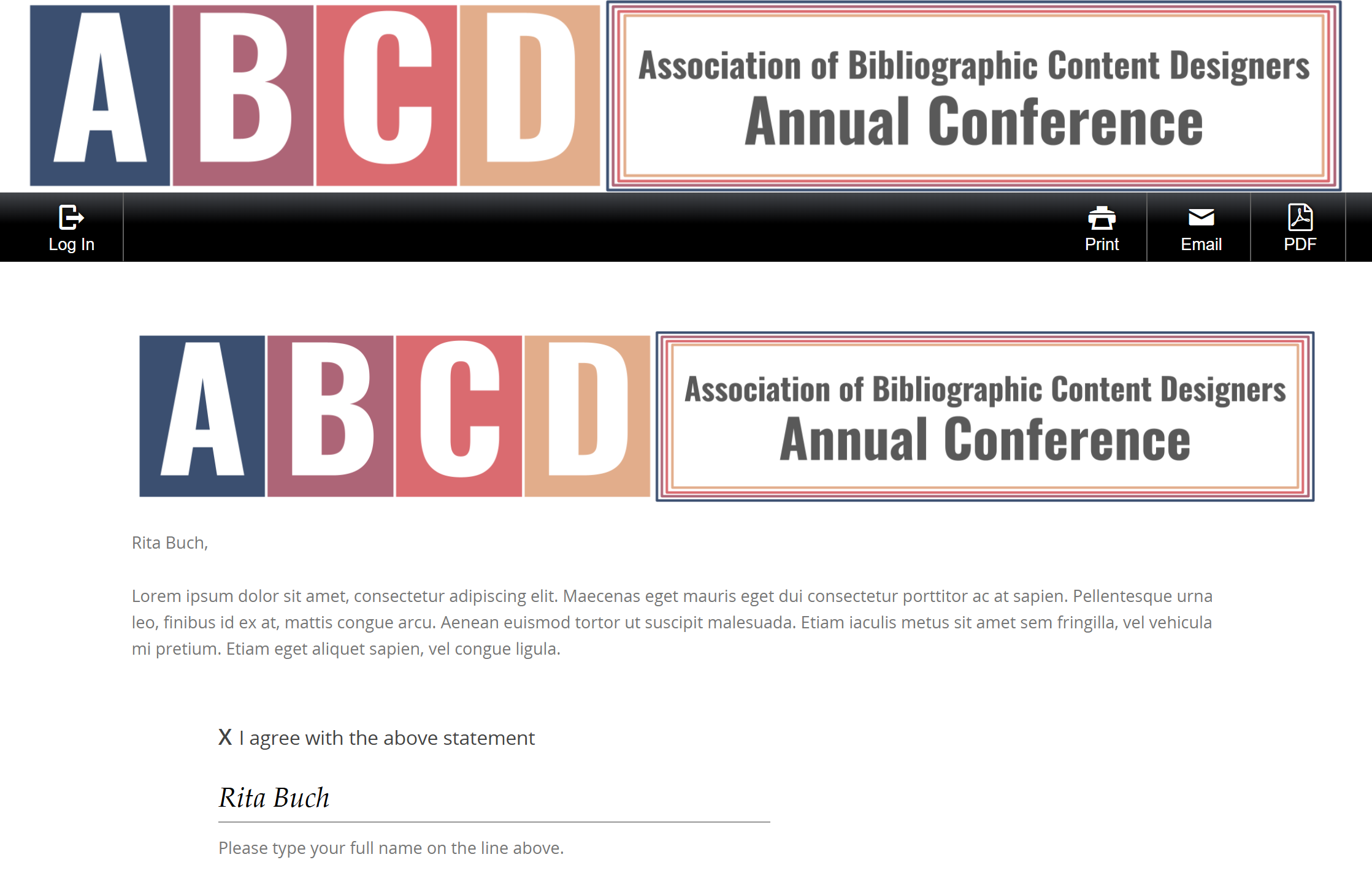
Fig. 2 - Copyright/Permissions Preview.
Education Harvester - Eventscribe Sync Button Not Working
An issue was reported that when manually adding a presentation in the Education Harvester and checking the "eventScribe Sync?" button, nothing appeared to happen. When you checked the option, the presentation would get created, but syncing was turned off. This issue has been fixed and now when this checkbox is selected, the presentation is automatically synced (Fig. 3).
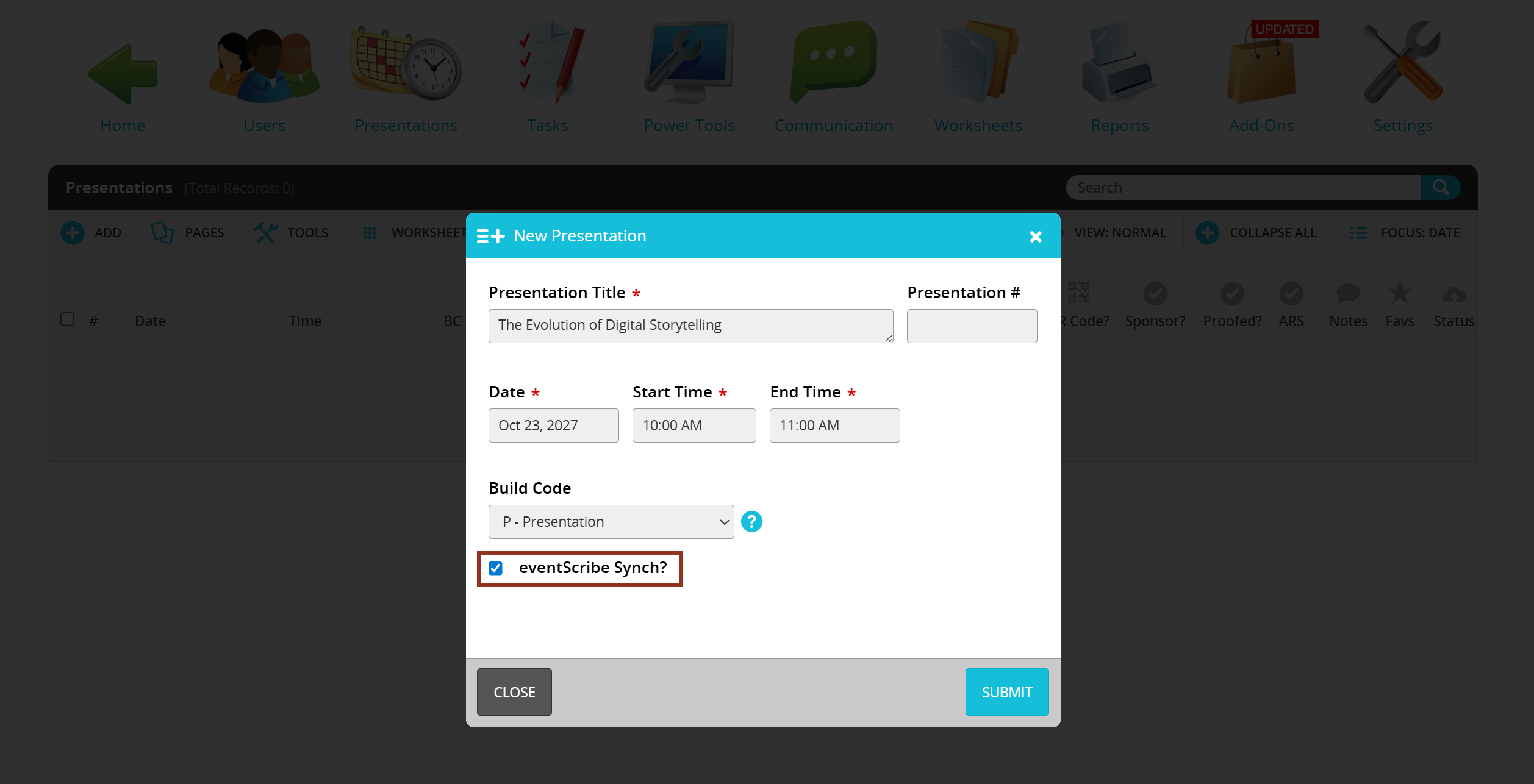
Fig. 3 - Add Presentation "eventScribe Synch?" Button.
Mobile App – Users Can Now View Their Own Profile in the Attendee List
App users who choose to share their profile with other attendees will now see themselves displayed in the Attendee List. Previously, users could share their profile but were unable to view their own entry within the list. This update improves clarity and ensures users can confirm how their shared profile appears to others.
Mobile App – iOS: Profile Sharing Not Enabling Chat Access
We’ve resolved an issue where users who selected "Share Profile" appeared in the App Users list but still couldn’t be messaged in Chats. This update ensures that shared profiles sync correctly and that chat access becomes available as expected.
Mobile App – Android: Scavenger Hunt Achievements Display Correctly After Refresh
Resolved an issue where Android users did not see their Achievements after answering Scavenger Hunt questions and refreshing the app. iOS continued working correctly, but Android was clearing data on refresh. Achievements now display properly and consistently across both platforms.
Mobile App – Android: Presentation Search by Session Number
We resolved an issue where Android users were unable to search for presentations using the session number. Searches by session number now return the correct results, providing a consistent experience across platforms.
Mobile App – Android: Tech Support Bottom Menu Action on Android
We’ve resolved an issue where the Tech Support bottom menu action did not function on Android devices. When configured as a bottom menu item, tapping the button produced no response on Android, even though it worked correctly on iOS. This update ensures the Tech Support action now opens the designated Tech Support page on both platforms. Clients who rely on this as their primary access point will now experience consistent, expected behavior across devices.
Website – Profile Photo Cropping Fix
We’ve resolved an issue where uploaded profile photos did not display a preview after cropping and were not saving the selected crop correctly. Users can now upload, crop, and preview their profile images as expected, and the cropped version will properly appear on both the My Profile page and the Attendee List (when profiles are shared).
Website – Privacy Statement Now Exports Correctly
We resolved an issue where the Export button on the Privacy Statement was downloading the website's home screen instead of generating a PDF of the actual privacy notice. The Export button now functions correctly and produces an accurate PDF of the privacy statement. The Print option continues to work as expected.
Was this article helpful?
That’s Great!
Thank you for your feedback
Sorry! We couldn't be helpful
Thank you for your feedback
Feedback sent
We appreciate your effort and will try to fix the article